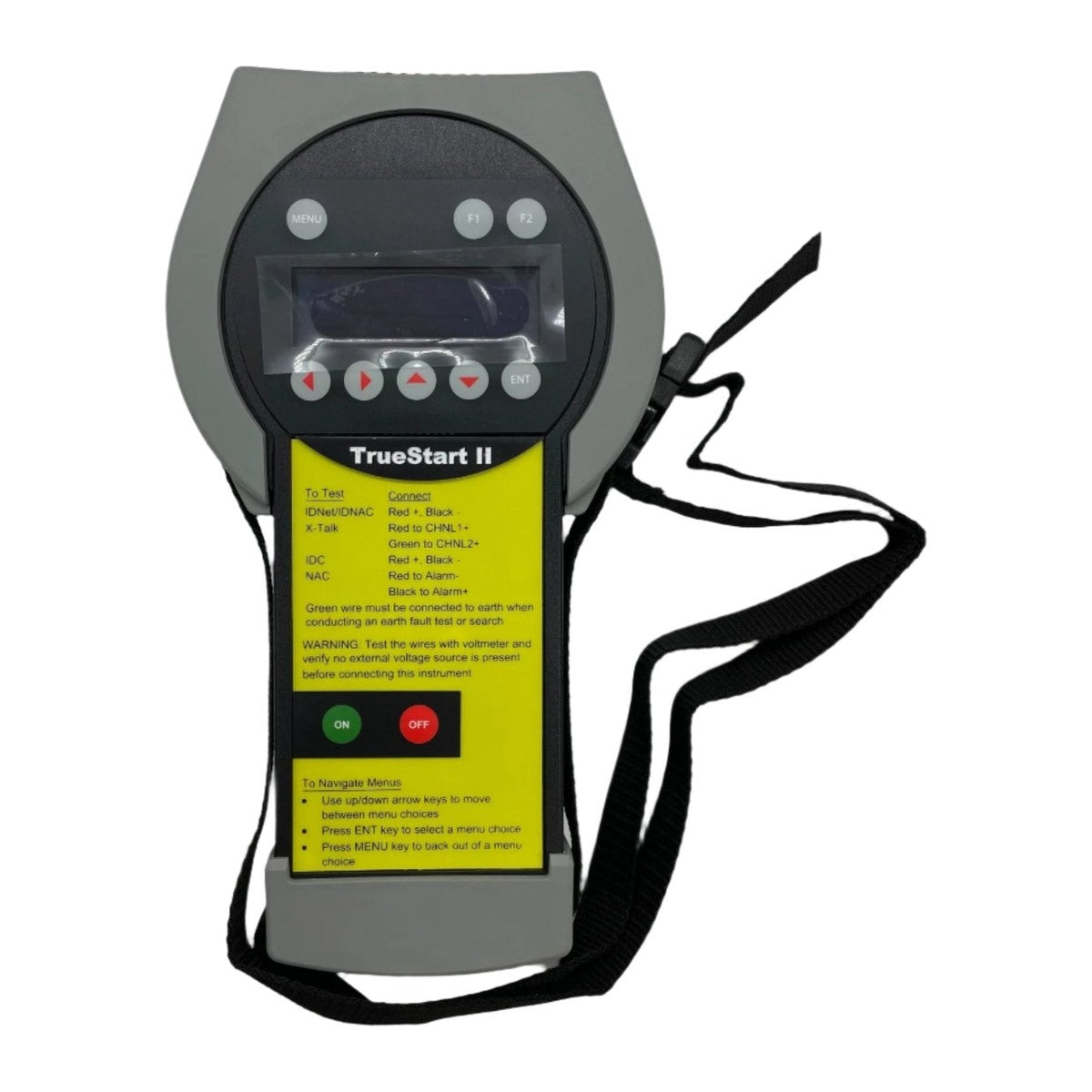
Simplex TrueSTART II — a portable, handheld installation and service instrument for verifying Simplex peripherals and field wiring before the fire alarm control panel is commissioned.
The point of the TrueSTART II (the manufacturer abbreviates it TSIT) is to find installation faults while they are still cheap to fix — on the wire, before anything is landed on the panel. It scans an IDNet channel to enumerate device types and addresses across the full 0 to 255 range, flags duplicated addresses, and polls every device for its state: whether a pull station is normal or in alarm, whether a ZAM is normal, in alarm or open, what analog value a TrueAlarm sensor is reporting and whether it is excessively dirty. On IDNAC it does the equivalent for addressable notification appliances, reading back each appliance's candela setting and whether it is configured for Alert or Alarm operation. It also runs earth fault tests, a cross-talk test that measures coupling between two channels, and real-time continuity tests on conventional IDCs and NACs. When it finds duplicate addresses, it can command that address to light the device LEDs, so the technician can set the instrument down and simply walk the building looking for lit LEDs. Results save to sixty named memory slots and upload to the TrueSTART Analyzer PC software for review.
Specifications
| Product type |
Portable handheld installation and service test instrument |
| Circuits tested |
IDNet, IDNAC, X-Talk (cross-talk), conventional IDC (initiating device circuits), conventional NAC (notification appliance circuits), and earth fault |
| IDNet device search range |
Addresses 0 to 255 |
| Individual IDNet tests |
Device Search, Duplicate Address, Check Device State, Earth Fault Search, View Found |
| IDNAC scan reports |
Device type, address, candela setting, Alert or Alarm mode, duplicate addresses; device LEDs can be activated from the instrument |
| X-Talk test |
Measures impedance between the positive leads of two channels; usable IDNet to IDNet, RUI to IDNet, or IDNet to IDNAC; results reported as coupling severity, LOW being the best result |
| Memory |
60 internal memory slots, each with a user-editable 20-character name |
| PC upload |
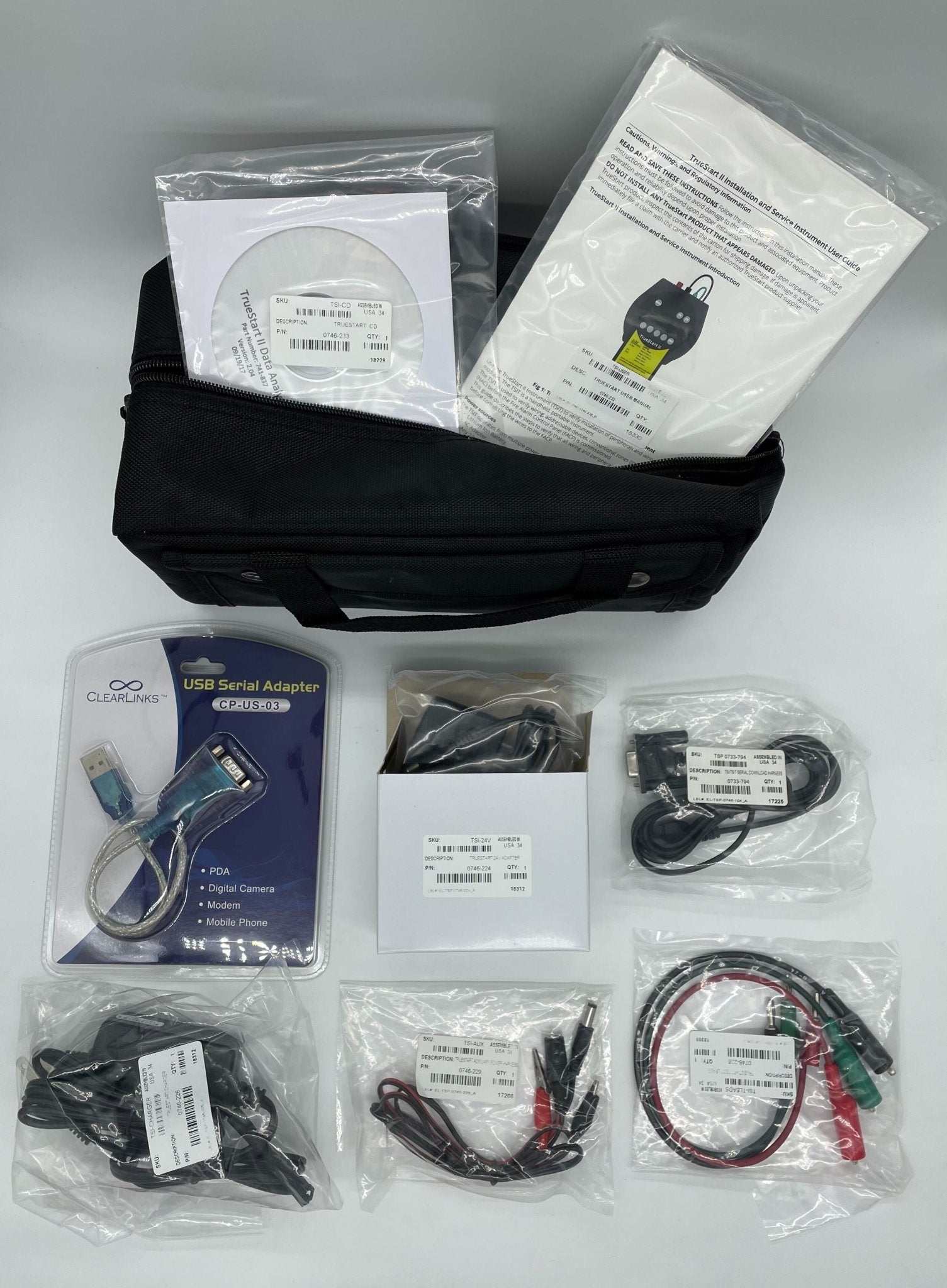
733-794 download harness to a DB9 RS232 port, with a USB to RS232 adapter supplied; TrueSTART Analyzer PC software |
| Power sources |
Lithium ion battery, AC adapter, or any 24 V DC source using the auxiliary power harness |
| AC adapter rating |
100 to 240 VAC, 50/60 Hz; supplied with a US standard wall plug |
| Battery voltage |
14.4 V |
| Auxiliary power output |
With the AC adapter, supports up to 650 mA of ZAM load in addition to powering the instrument |
| Test leads |
Red, black and green; green connects to earth for earth fault testing |
| Controls |
ON/OFF, ENT, MENU, F1 and F2 keys with arrow key menu navigation |
Installation notes
-
Prove the circuit is dead first. The instrument carries an explicit warning: test the wire with a voltmeter and verify no external voltage source is present before connecting the instrument.
-
Earth faults hide in pairs. To detect every earth fault you must test the positive and negative leads of a circuit independently — faults on both legs can produce a balanced condition in which no earth fault is detectable when the circuit is tested as a whole.
-
NACs must be tested in standby, because notification appliances activate on reverse polarity. Connect the red lead to the −NAC alarm wire and the black lead to the +NAC alarm wire. Note that two 10 kΩ end-of-line resistors on the circuit read as a Short, and a short can also mean appliances wired backwards.
-
Connect the whole channel before scanning. All IDNet+ and IDNet− wiring for the channel must be on the leads — the channel has to be complete when scanned. On IDNAC channels with multiple T-taps, scan each tap separately and merge the results in the PC tool.
-
Shorted or overloaded loops give bad data. If the loop is shorted or draws far more current than expected the instrument cannot communicate and may receive faulty data. A test can be forced where the high current is genuinely from an excess of devices, but check for hard shorts and stray voltages first.
-
Earth Fault Search needs isolators: run it only when isolator devices are on the loop. Conversely, an IDNet channel using IDNet Isolators or TrueAlarm Isolator Bases requires Earth Fault Search in addition to the basic earth fault test.
-
It does not sound the building. The instrument will not power IDNAC appliances into alarm mode — it reads their configuration, it does not run an audibility test.
-
Battery cannot feed 24 V devices. At 14.4 V the battery is too low to power ZAMs or other 24 V devices, so the AC adapter or aux harness is required for those. The battery is disabled whenever the AC adapter or auxiliary power harness is plugged in.
-
Bring the device list. The scan is most useful compared against the intended address list — missing devices show up as gaps in the detected addresses, and a missing address is often explained by a duplicate elsewhere.
Related models
-
TSI-BATTERY / TSI-CHARGER / TSI-24V — replacement battery, battery charger and 24 V wall adapter, shared across the TrueStart and TrueSTART II instruments
-
TSI-TLEADS — replacement test leads
-
TSI-AUX — auxiliary power harness, used to extend the adapter reach, power ZAMs and other 24 V devices, or run the instrument from a panel
-
TSI-USB — USB to RS232 adapter for PCs without a serial port
-
TSI-PROTECT / TSI-BAG — case protector and tool bag
Specifications taken from the Simplex document "TrueSTART II Installation & Service Instrument," document 579-1030 Rev. A. Manufacturer specifications are subject to change without notice.